Hoe te spelen / How to play
- Download en installeer CurseForge
- Download and install CurseForge
- Open CurseForge Launcher.
- Open the CurseForge Launcher.
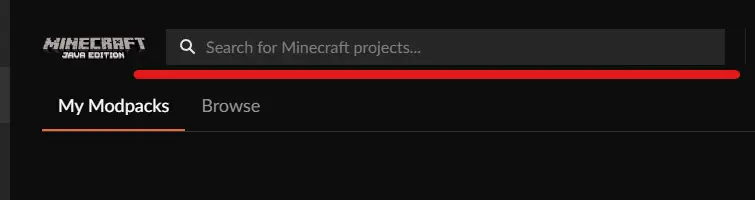
- Zoek naar "UltraCraft Pixelmon" in de zoekbalk bovenaan.
- Search for "UltraCraft Pixelmon" in the search bar at the top.
- Klik op de ORANJE button Install.
- Click the ORANGE Install button.

- Klik op PLAY nadat het downloaden klaar is.
- Click PLAY after the download is finished.


* Mocht het IP-adres er niet tussen staan? Het ip-adres is; 45.136.141.70:27199
* If the IP-adress is not listed, the IP-adress is: 45.136.141.70:27199
Minecraft Launcher:
- Klik op SPELEN
- Click Play

Betere beeldformaat / Better screen resolution
- Klik bovenin op installaties.
- Click installations at the top.
- Klik op drie puntjes achter het mapje.
- Click the three dots next to the instllation folder.

- Kies onderaan het juiste beeldformaat en klik op opslaan.
- Choose the correct screen resolution at the bottom and click save.
- SPELEN maar...
- START playing...
